
New in version 2.1
Invoices by email, straight into the app
No more downloading attachments and retyping. You get your own private email address, and every invoice that arrives there shows up in Dokladožrout on its own, with its details already read.
- Turn on your address in Settings → Online services.
- Forward an invoice to it, or give it to shops and suppliers as your billing email.
- Done. The document is added by itself, with the supplier, company ID, amount and VAT. PDF, images and ISDOC, encrypted.
What it does
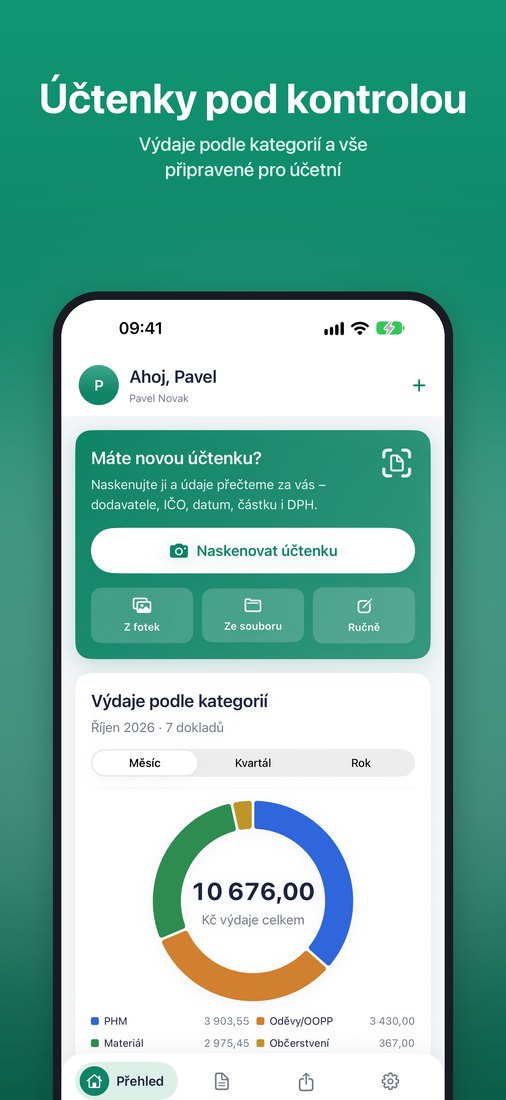
Reads receipts
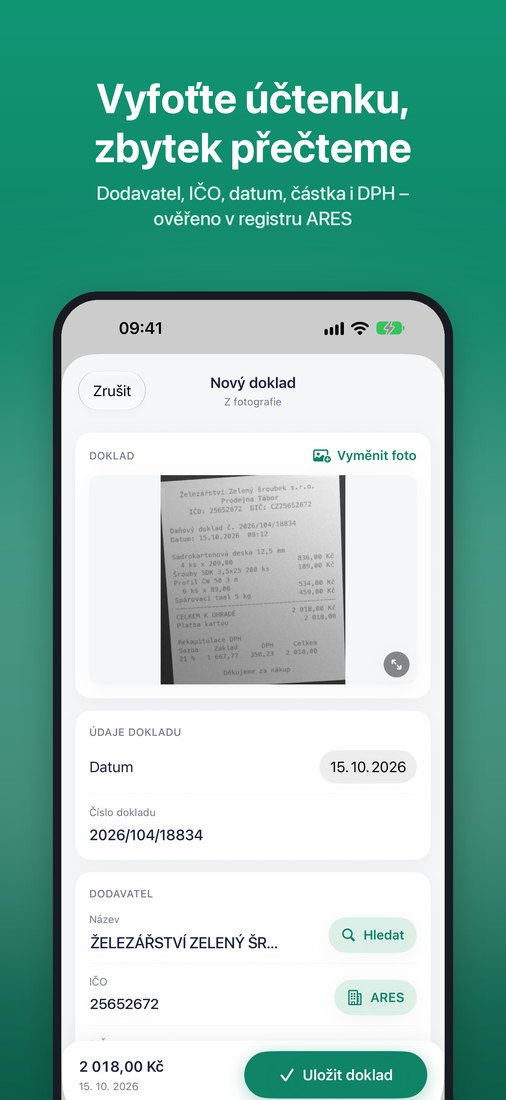
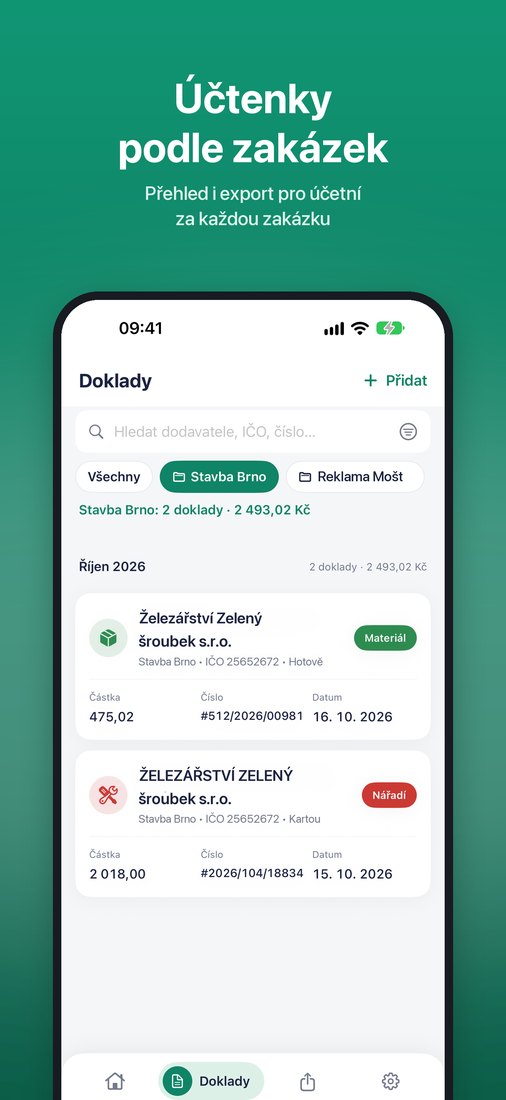
Supplier, company ID (IČO), VAT ID (DIČ), date, document number, total and VAT breakdown. The text is read right on your phone.
ARES lookup
Fills in the exact company name and VAT ID from the company ID, using the Czech ARES register. It can also find a company by name.
PDF for your accountant
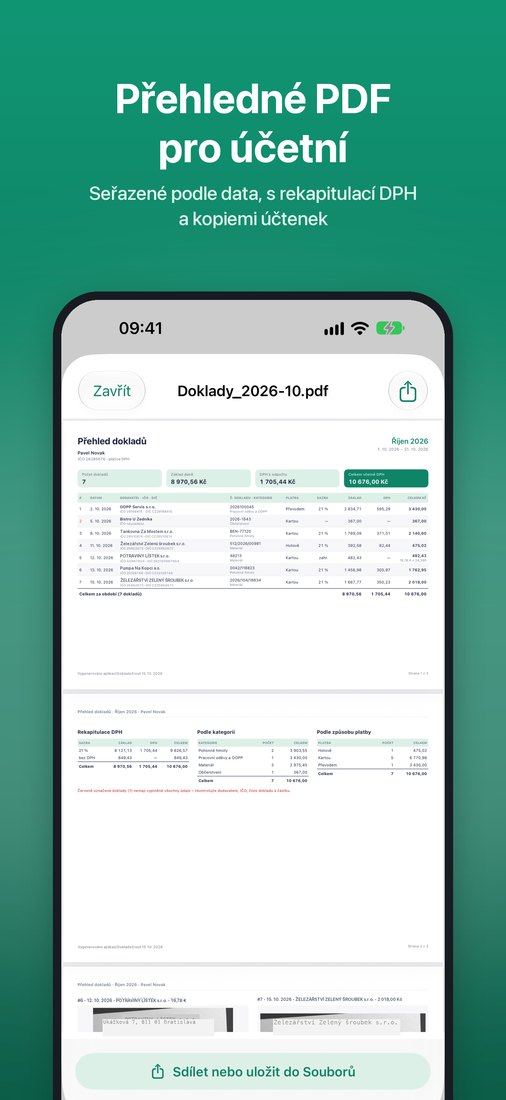
An overview for a week, month, quarter or year, sorted by date, with a VAT summary and copies of the receipts.
Accounting software
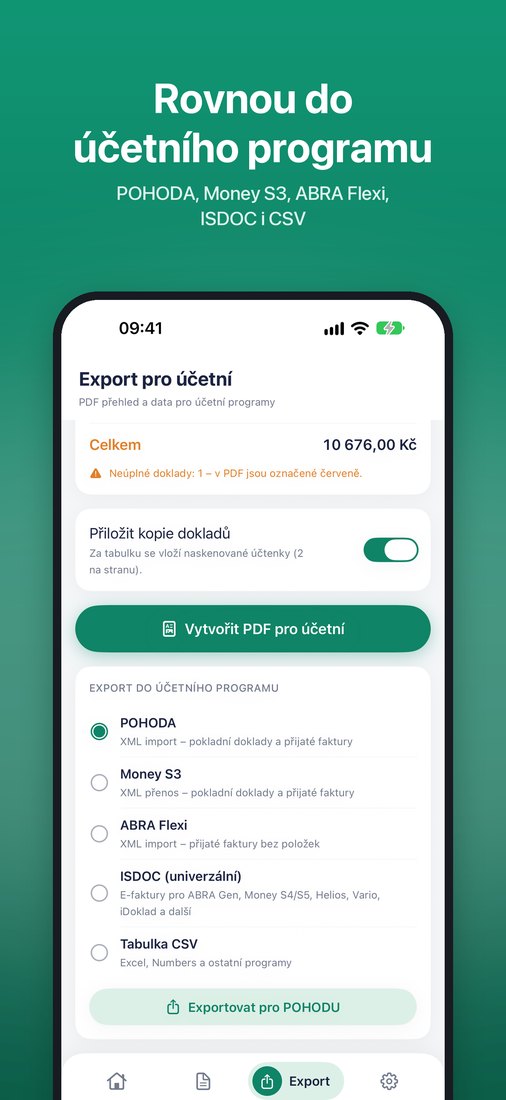
Export for POHODA, Money S3 and ABRA Flexi, in ISDOC format (ABRA Gen, Money S4/S5, Helios, iDoklad…) and to CSV.
Slovak receipts in euros
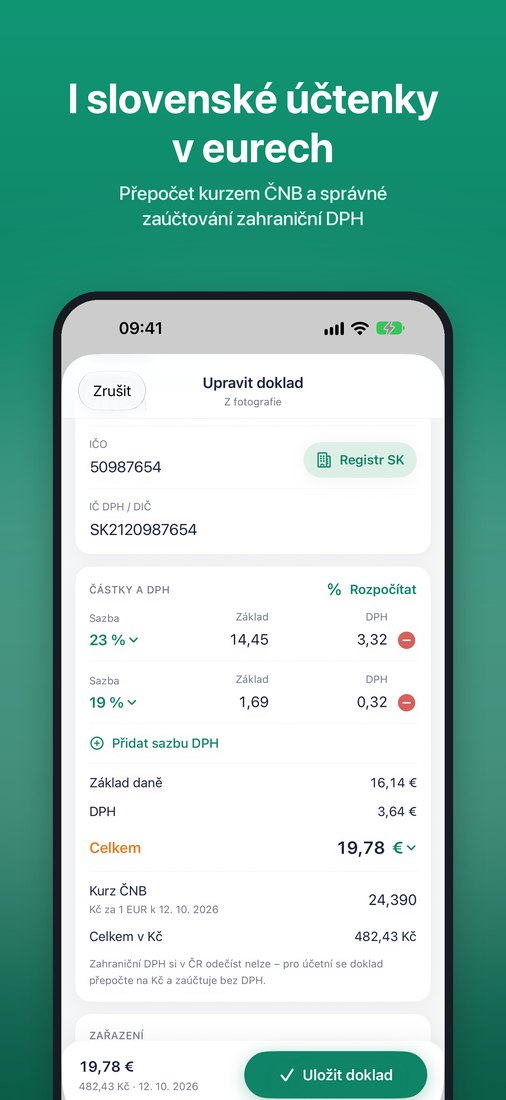
Recognizes euros and Slovak VAT IDs, converts at the Czech National Bank rate for the receipt date and books them correctly, without foreign VAT.
Invoices and files
Besides scans, also photos, PDF invoices and ISDOC e-invoices.
Invoices with a QR code
Issue an invoice from your phone in a minute, VAT payers included. Numbering, a customer list and ISDOC. 2 invoices a month free.
Ready for your accountant
See documents with missing details, payments without a receipt and unsent months in one place. A reminder arrives on the 1st of every month.
Payments without a receipt
Payments from your account are matched with your documents, and the ones without a receipt stand out. Supports the Fio API. More banks are coming.
VAT overview
For VAT payers, input and output VAT for a month or a quarter, with export to PDF and CSV.
Mileage log
Vehicles, trips and a monthly kilometre summary. Add a trip from a fuel receipt in one tap.
Multiple companies
A sole trader and a limited company in one app. Switch by tapping the name at the top.
Widget, iPad and Slovak
Scan straight from your home screen. Works on iPad and Android tablets, in Czech and Slovak.
Accountant link
Instead of an attachment, send your accountant an encrypted download link, valid for 30 days. Turn it and documents by email on in Settings → Online services.
What it looks like
Pricing
Free
10 new documents and 2 issued invoices a month, all exports.
Dokladožrout Pro
or 799 CZK a year. Unlimited documents and invoices, multiple companies and matching with your Fio bank account. The first 14 days are free, cancel anytime.
Support
Write to mr.adampavelka@gmail.com. I usually reply within two business days.
How do I cancel my subscription?
iPhone: Settings → your name → Subscriptions → Dokladožrout Pro → Cancel Subscription. During the free trial, do it at least 24 hours before the trial ends and you won't pay anything.
Android: open the Google Play app → profile icon → Payments & subscriptions → Subscriptions → Dokladožrout Pro → Cancel subscription. You can also do it on the Google Play website. Cancel within the 14-day free trial and you won't pay anything.
You can keep using Pro until the end of the paid period. Uninstalling the app does not cancel the subscription.
I bought Pro, but the app doesn't see it
In the app, open Nastavení (Settings) → Předplatné (Subscription) → Obnovit nákupy (Restore Purchases). You must be signed in with the same account you used to buy the subscription: your Apple Account on iPhone, your Google account in Google Play on Android.
Where are my documents, and how do I move them to a new phone?
Documents are stored on your phone. They go to the server only if you turn on invoices by email or the accountant link in Settings → Online services, and then encrypted. On iPhone they're part of your backup (iCloud or computer); on Android they're part of your Google Drive backup if you have it turned on. You move them to a new phone by restoring from that backup. To be safe, we recommend sending PDFs to your accountant regularly.
Pro doesn't carry over between iPhone and Android: the App Store and Google Play each have their own purchase, and Dokladožrout has no shared account. If you switch from iPhone to Android (or back), buy Pro again in the new store and cancel the old one.
A receipt wasn't read correctly
You can correct every field before saving. Receipts read best when photographed close up, straight and in focus. If a certain type of receipt is read wrong again and again, please send me a photo of it. It helps improve the reading.
How do I hand my documents over to my accountant?
On the Export tab, choose the period and tap Vytvořit PDF pro účetní (Create PDF for accountant), or choose an accounting program and export the data. Then send the file by e-mail or save it to Files.